
Fix a scheduled report that errored
When a scheduled report fails, paste the link to the agent's error message into #gd-athena-engineering. Athena finds the cause, fixes it, runs the tests and reruns the report so you can see it post.
On this page
Your AI team posts many of its reports from scheduled jobs (cron jobs). When one fails, the agent that runs it posts the error in the report's channel, and the link to that message is all Athena needs to start: she reads the whole thread, then the job's code and logs on your machine.
In this walkthrough, Harbor & Pine's daily store-health report failed validation. Athena found the cause, fixed it, passed the tests and reran the report in eight minutes.
 4. Fix a report that errored
Copy the link to the failed message#
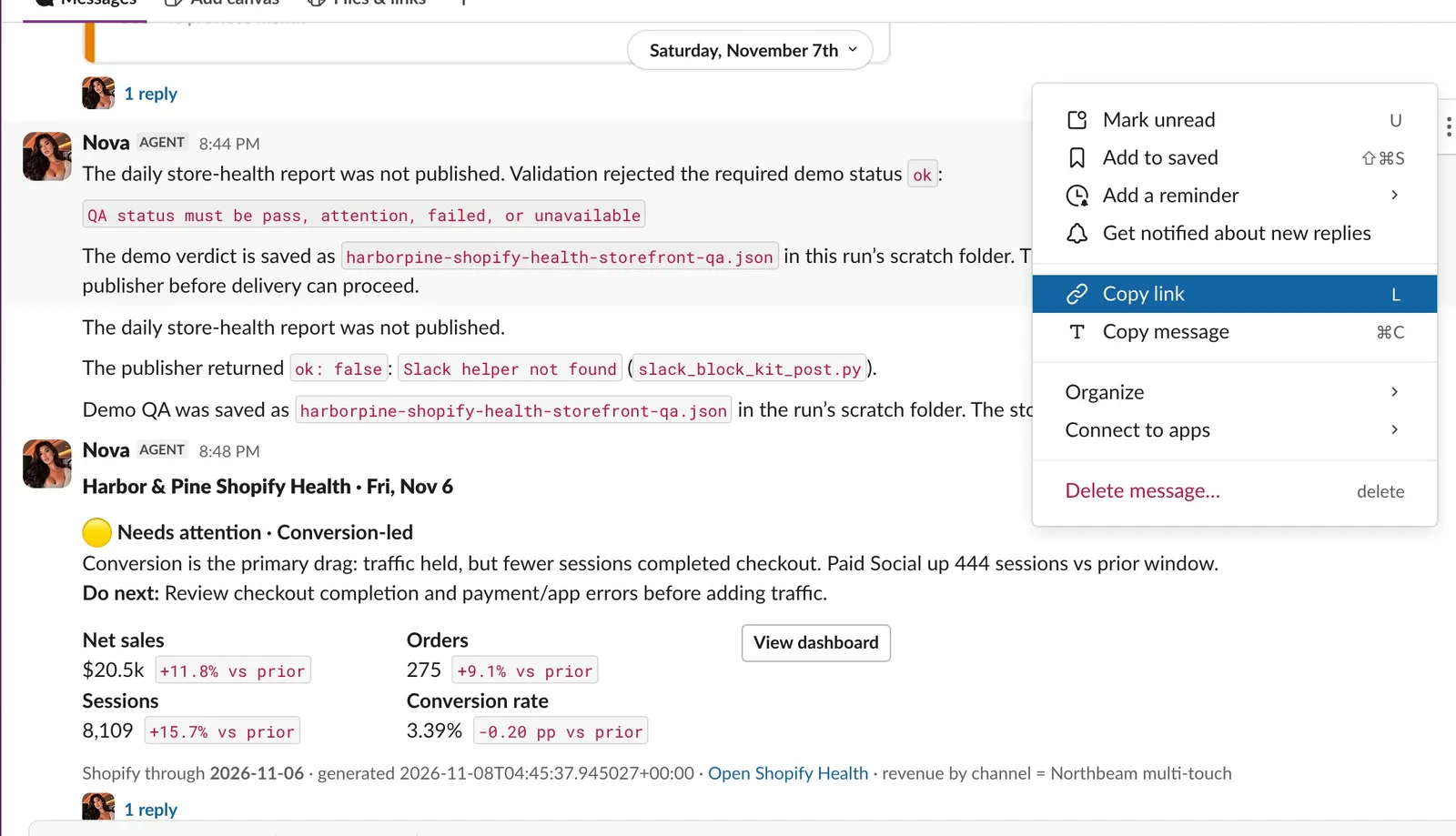
Open the message where the agent posted the error. Here, Nova reports that the daily store-health report was not published.
Hover over the message, open More actions (the three dots) and choose Copy link.
Nova's failed store-health report in #harborpine-reports, with More actions open and Copy link selected.
Ask Athena to fix it#
Open #gd-athena-engineering, tag @Athena, say what failed and paste the link. Then say what done looks like. Add the error text if the agent's message cut it short, and anything you already tried. The request from the demo:
@Athena the daily store-health report failed here: <link to the failed message>
Find out why it fails validation, fix it the way this box normally ships fixes, rerun the report so it posts, and show me the test results. Keep the report's format the same.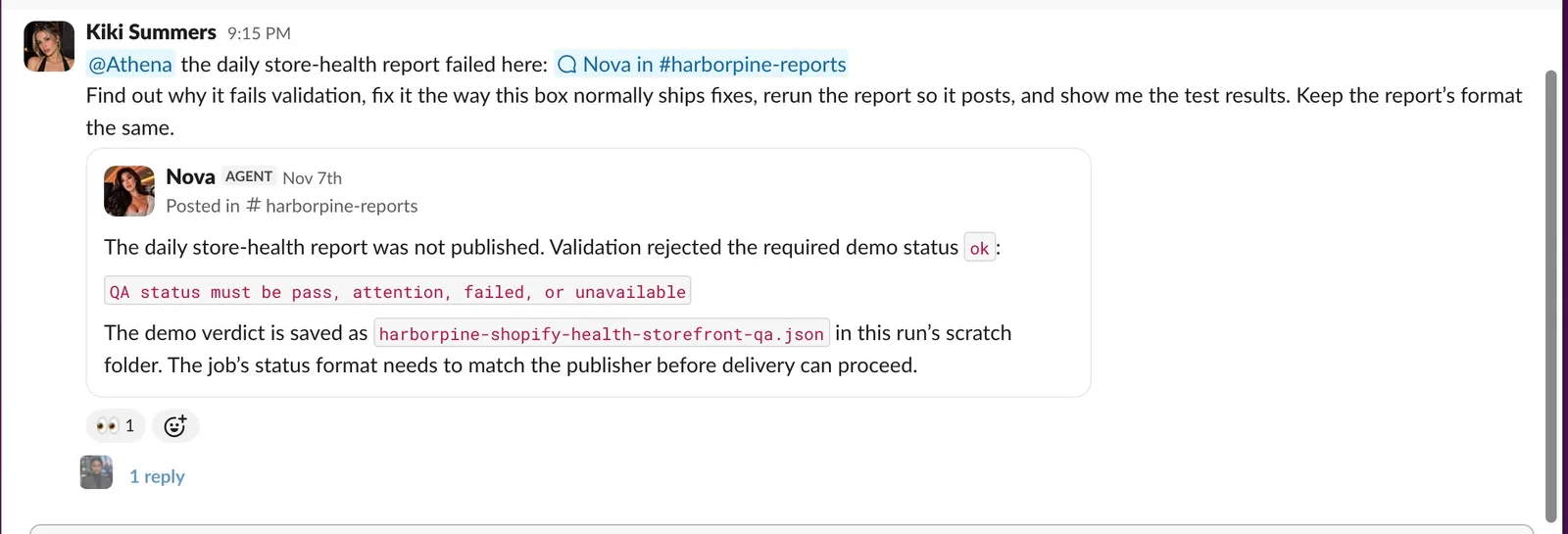
The fix request. Slack shows the pasted link as a preview of Nova's message.
Follow the fix#
Athena answers in a thread under your message, so the whole job stays in one place. Her status message comes first: the model she is using, the command she is running, and counts of commands and test runs. It says done when she finishes; this fix took 8 minutes and 49 commands.
Each test run gets its own reply. In the demo the first run failed because it ran from the wrong folder. The second passed: 28 tests and 5 subtests. A failed run along the way is normal; the last run is the one that counts.
Her notes say what she found. Here she confirmed that the old status reproduces the failure and the new one passes, and that her edit to the job was backed up first.
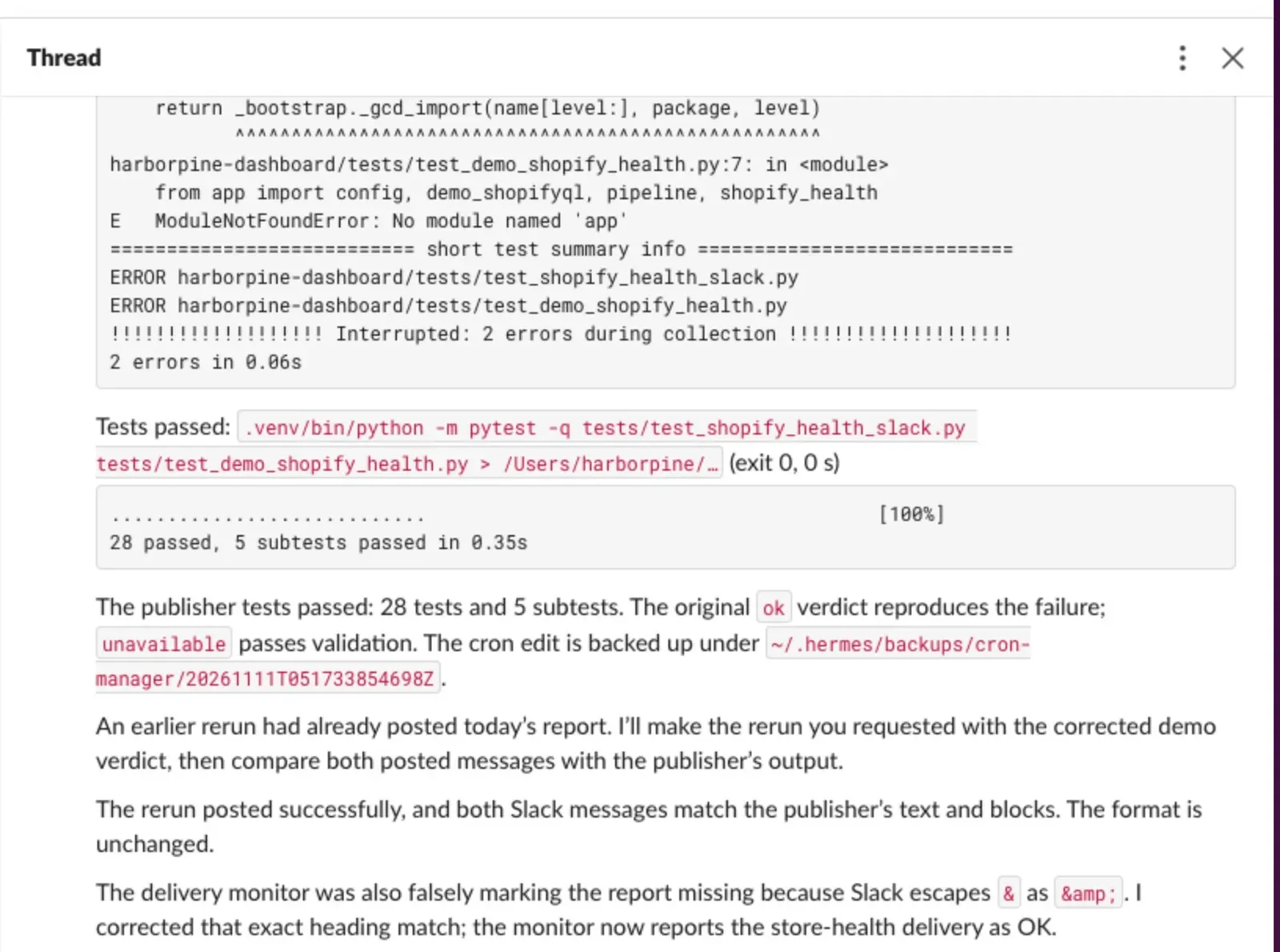
A passing test run (28 tests and 5 subtests), then Athena's notes: the old status, ok, reproduces the failure and the new one, unavailable, passes; the rerun posted; and the delivery monitor's false alarm is fixed. She reruns the job and checks the result for real: the report posts, or the job finishes without the error.
Her answer tags you and says what was wrong, what she changed, the checks she ran and how she shipped it. Here, the job was sending the publisher a QA status it does not accept (
ok). She changed it tounavailable, repaired the job's publisher command, and fixed a delivery monitor that was wrongly reporting the report as missing. She shipped the fix through the machine's usual procedure for scheduled jobs, which backs up the job's settings before changing them.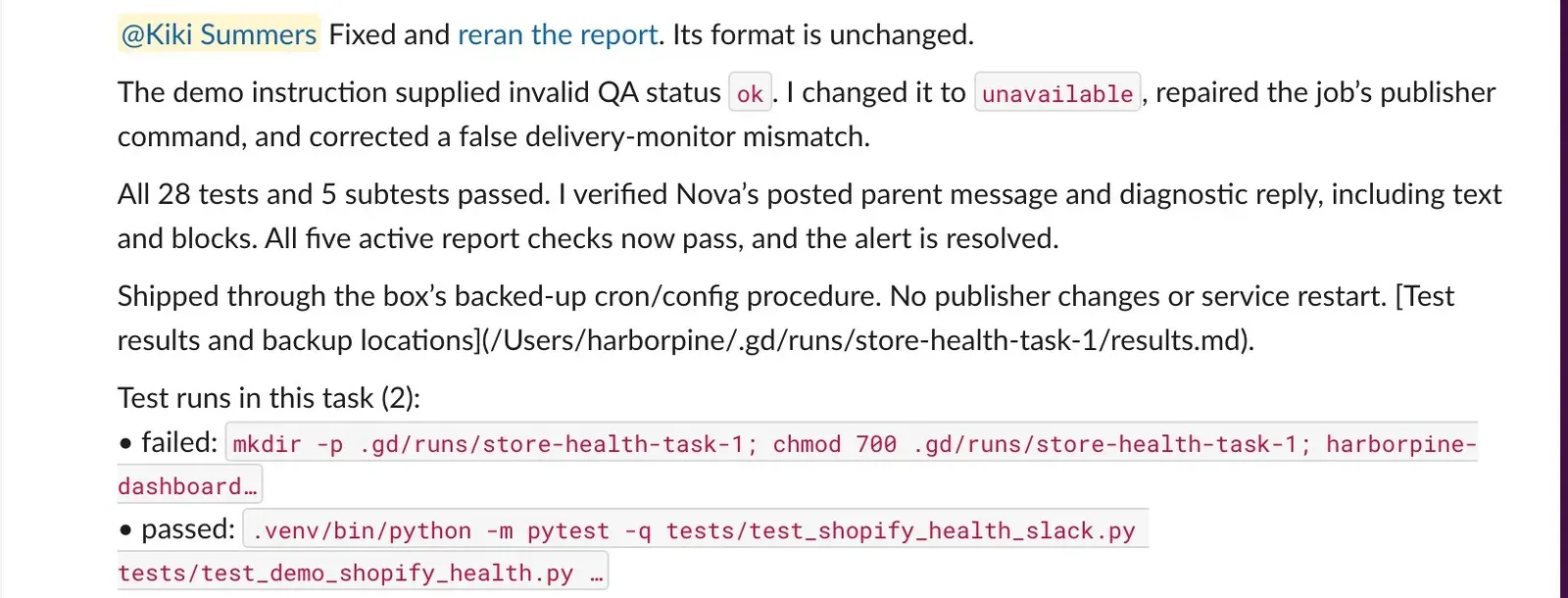
Athena's answer: the cause, what she changed, the checks she ran and how she shipped it, with a link to the report she reran and the list of test runs. Open the link in her answer to see the report she reran.
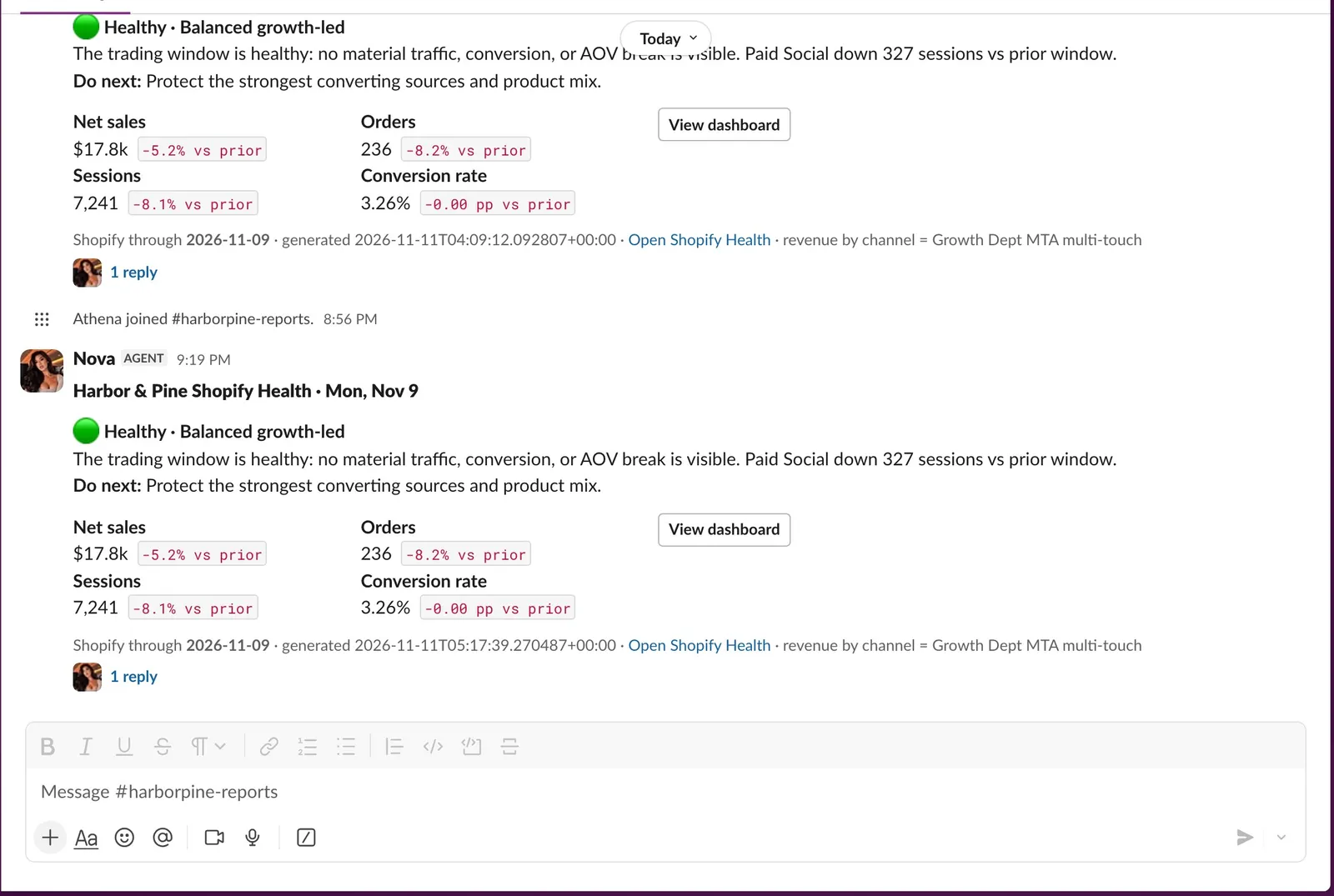
The store-health report posting again in #harborpine-reports, in its usual format.
When she needs a person#
Some causes are outside the code, such as an expired password or a connection that someone has to sign in to again. Athena stops there and says in her answer what a person or a master admin has to do.
Related
- Getting started with AthenaAthena is the engineer in your Slack. Ask her to fix a report that errored or to build a new report, dashboard or agent, and follow the work in one Slack thread.
- Build a store health report in SlackAsk Athena for a new daily Slack report. In the walkthrough she builds Store Health 2.0, with conversion rate on a 30-day chart, the day's errors and checkout drop-off, notes for launches and site changes, and landing-page tests proposed from Clarity.
- Create a new agentAsk Athena for a new AI employee in one message. In the walkthrough she builds Juno, a briefing assistant, with a portrait, her own Slack app, an access list and a page on the dashboard, then Juno answers questions in Slack.
- Build a KPI dashboard for your teamAsk Athena for a dashboard your team checks every day. In the walkthrough she adds Organic social and Paid tabs to Harbor & Pine's brand dashboard, behind its sign-in, with every source and date range labeled.
Still stuck?
Email the Growth Dept team. Say which workspace you work in and what you were trying to do.